Bulk Upload Instagram Reels
Drop in a folder of Reels or a CSV, set captions, hashtags and cover images in bulk, and let every Reel publish itself at its time, across one or many accounts.

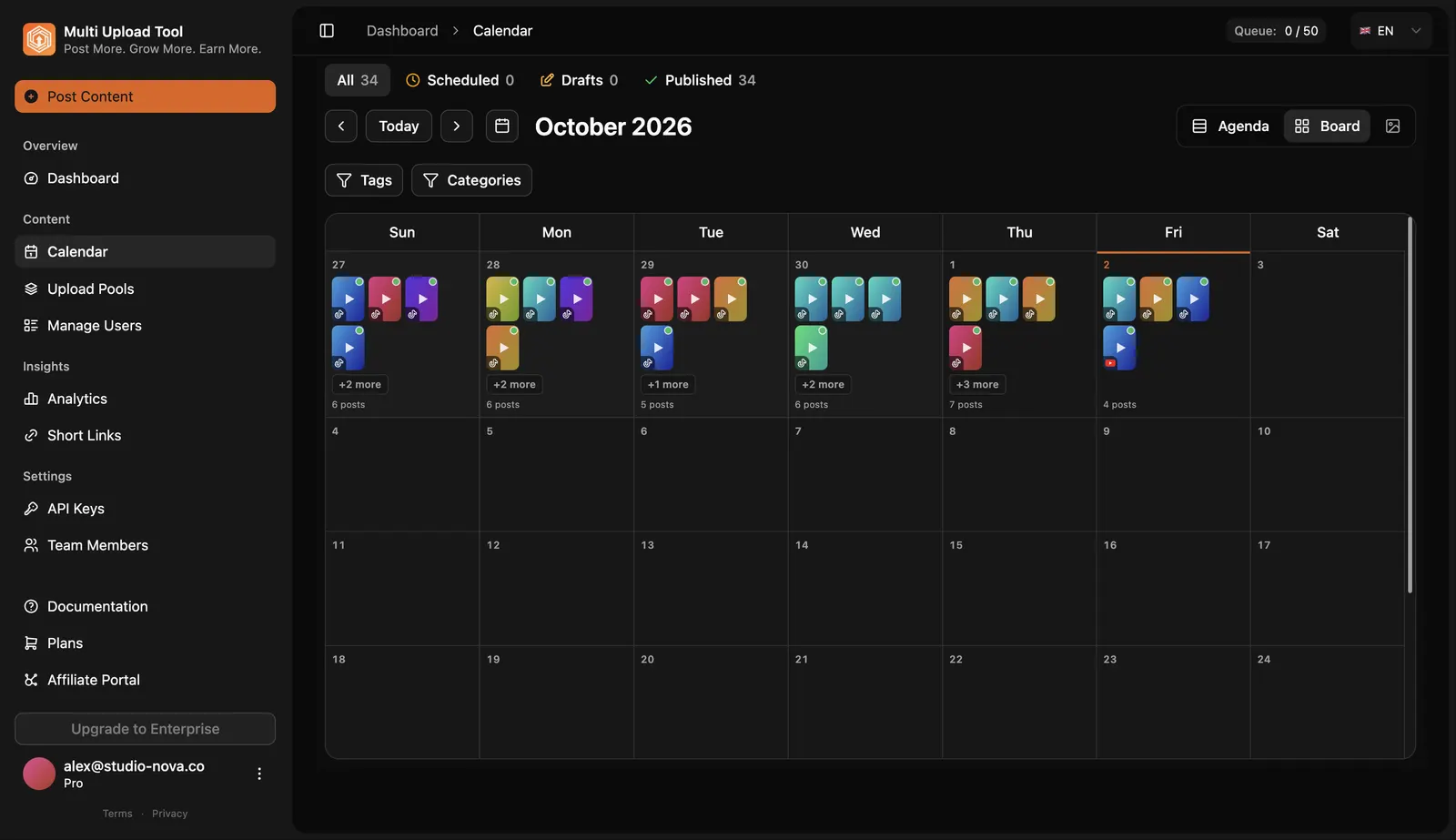
Instagram and Meta Business Suite schedule Reels one at a time. Multi Upload Tool takes 50+ Reels in one batch and publishes each one directly through Meta's official Graph API, with no push notification or manual step. It needs an Instagram Business or Creator account linked to a Facebook Page. The same batch can also go to TikTok and YouTube Shorts. See all of bulk upload.
Meta Business Suite vs Multi Upload Tool
| Feature | Multi Upload Tool | Meta Business Suite |
|---|---|---|
| Reels per batch | 50+ per batch | One at a time |
| Captions, hashtags & covers in bulk | From CSV or dashboard | One at a time |
| Auto-publish at a set time | Yes, direct via Graph API | Yes |
| Multiple accounts, one dashboard | Yes | Meta accounts only |
| Cross-post to TikTok & YouTube Shorts | Yes, same batch | Meta apps only |
| Cost | Free plan, then from $14.99/mo | Free |
How to Bulk Upload Instagram Reels
- 01
Connect Instagram
Sign in through Facebook (Meta) OAuth and pick your Business or Creator accounts. Each must be linked to a Facebook Page.
- 02
Drop in your Reels
Drag a folder of 9:16 videos (up to 90 seconds, MP4 or MOV up to 4GB) or import a CSV with one row per Reel.
- 03
Set captions, hashtags and covers
Fill captions, up to 30 hashtags and a cover image for every Reel in one view, or straight from the CSV.
- 04
Schedule and publish
Each Reel publishes itself at its time through Meta's Graph API. You see the status of every upload in the dashboard.
Can you bulk upload Reels to Instagram?
Not natively: Instagram and Meta Business Suite handle one Reel at a time. Multi Upload Tool uploads 50+ Reels in one batch from the dashboard or a CSV and publishes each one directly through Meta's Graph API at its scheduled time.
Do bulk-uploaded Reels publish automatically?
Yes. Multi Upload Tool uses Meta's Content Publishing API for true direct posting: no push notification, no manual step. This requires an Instagram Business or Creator account linked to a Facebook Page.
Can I set a cover image for every Reel in the batch?
Yes. Upload a custom cover per Reel (1080x1920 recommended) or pick a frame from the video, so your profile grid stays consistent.
Can I bulk upload Reels with a CSV?
Yes. One row per Reel: video file, caption, hashtags and publish time. Drop in the matching files and every row becomes a scheduled Reel.
Can I bulk upload Reels to several Instagram accounts?
Yes. Connect several Business or Creator accounts and send different Reels to each, or the same Reel to all of them, from one dashboard. The free plan covers 2 connected accounts; Basic ($14.99/month) covers 8.
Can I reuse my TikToks as Reels in bulk?
Yes, and upload the original files rather than TikTok downloads: Instagram deprioritizes Reels with another platform's watermark. One batch can publish the same clips to TikTok and Instagram Reels.
Is there a free way to bulk upload Instagram Reels?
Yes. The free plan includes 2 connected accounts and 13 uploads per month with no credit card. Paid plans start at $14.99/month with unlimited uploads.
Related
Upload the whole batch of Instagram Reels, once
Drag in a folder or import a CSV and schedule weeks of video in one sitting.