Bulk Upload YouTube Shorts
Drop in a folder of vertical clips or a CSV, set the title, description, tags, playlist and thumbnail of every Short in bulk, and schedule the whole batch across one or several channels.

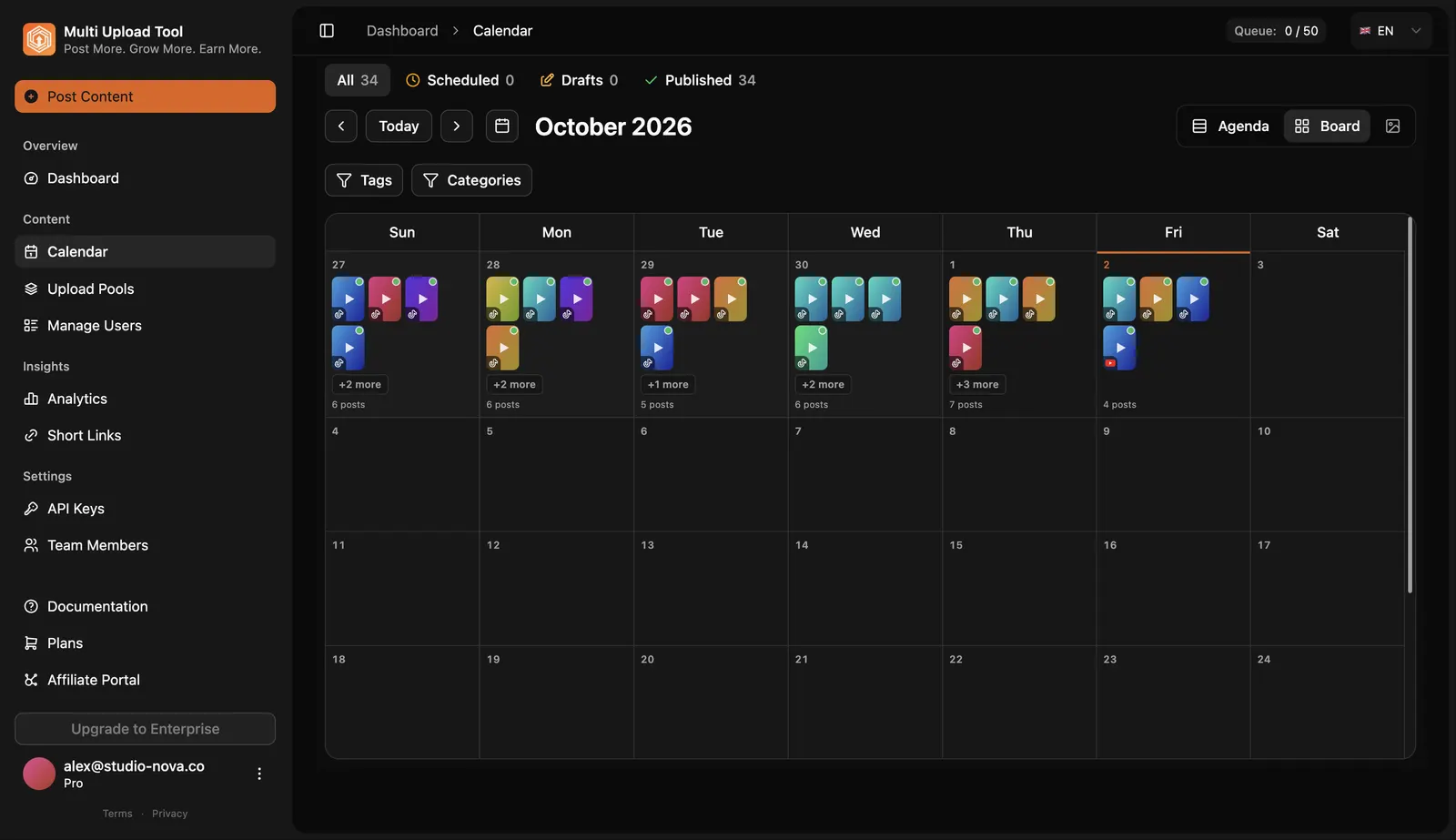
YouTube Studio lets you select several files at once, but every Short still needs its title, description, visibility and publish time filled in one by one. Multi Upload Tool takes 50+ Shorts in one batch, with metadata pre-filled from a CSV or the dashboard, and publishes them through YouTube's official Data API v3. The same batch can go to TikTok and Instagram Reels too. Want the full picture? See bulk upload.
YouTube Studio vs Multi Upload Tool
| Feature | Multi Upload Tool | YouTube Studio |
|---|---|---|
| Shorts per batch | 50+ with metadata pre-filled | Select several, edit one by one |
| Title, tags & playlist in bulk | Per Short, from CSV or dashboard | One at a time |
| Custom thumbnail per Short | Per Short (dashboard or API) | Set manually per Short |
| Multiple channels, one dashboard | Yes | Switch channels manually |
| Cross-post to TikTok & Instagram Reels | Yes, same batch | No |
| Cost | Free plan, then from $14.99/mo | Free |
How to Bulk Upload YouTube Shorts
- 01
Connect your channels
Sign in with Google OAuth. Your password stays with Google, and each channel connects independently.
- 02
Drop in your Shorts
Drag a folder of 9:16 vertical clips into the dashboard, or import a CSV with one row per Short: file, title, description, tags, playlist and publish time.
- 03
Fill metadata in bulk
Edit titles, descriptions, tags, playlists and thumbnails for the whole batch in one view instead of opening each video.
- 04
Schedule and publish
Each Short goes live at its time through the YouTube Data API v3. Large batches are spread over several days because of YouTube's daily upload quota.
Can you bulk upload YouTube Shorts?
Yes. Multi Upload Tool uploads 50+ Shorts in one batch via the dashboard, a CSV or the API, each with its own title, description, tags, playlist, custom thumbnail and scheduled time. YouTube Studio accepts several files at once but still makes you fill in each video's details one by one.
How many Shorts can I upload to YouTube per day?
YouTube's Data API v3 has a default quota of 10,000 units per day per project, and one upload costs about 1,600 units: roughly 6 Shorts per channel per day by default. A bigger batch is simply queued and published across several days. Most creators schedule one to three Shorts a day anyway.
Can I bulk upload Shorts with a CSV?
Yes. One row per Short: the video file, title, description, tags, playlist and publish time. Drop the matching files in and every row becomes a scheduled Short, so you don't type 50 titles by hand.
Can I set a custom thumbnail for each Short in a batch?
Yes. Upload a 1080x1920 image per Short from the dashboard or the API. YouTube supports custom thumbnails for Shorts, and many schedulers still don't.
Can I bulk upload to several YouTube channels?
Yes. Connect several channels and send different Shorts to each, or the same Short to all of them, from one dashboard. The free plan covers 2 connected accounts; Basic ($14.99/month) covers 8.
Does bulk uploading hurt a Short's reach?
No. Scheduled Shorts publish through the YouTube Data API v3, the same pipeline as YouTube Studio, so they are treated like manual uploads. Spread a batch over several days rather than publishing everything at the same minute.
Is there a free way to bulk upload YouTube Shorts?
Yes. The free plan includes 2 connected accounts and 13 uploads per month with no credit card. Paid plans start at $14.99/month with unlimited uploads.
Related
Upload the whole batch of YouTube Shorts, once
Drag in a folder or import a CSV and schedule weeks of video in one sitting.